Showing posts with label Image editing software. Show all posts

CapCut: The Easiest & Most Powerful Video Editor for Content Creators

 CapCut: The Easiest & Most Powerful Video Editor for Content Creators


The CapCut logo, the best video editing tool.

Introduction: CapCut—A Revolution in Video Editing

Creating visual content has become an essential tool for expression and communication, and video editing is no longer limited to professionals. Complex editing software used to be a barrier for many, but that reality has completely changed with the arrival of free and user-friendly tools like CapCut. It has opened the doors for everyone to become a content creator.

CapCut: Where Simplicity Meets Professionalism

CapCut is one of the most prominent and fastest-growing video editing programs, having gained immense popularity among millions of users worldwide. This success is due to its combination of simplicity and power. It is completely free and available on both smartphones and computers, making it the top choice for beginners looking for an effective and free tool.

Essential CapCut Features: Tools to Inspire Creativity

The program offers a wide range of tools that meet every creative need. Users can easily trim and merge video clips, control playback speed, and access a rich library of trendy filters and visual effects that keep up with the latest trends.

Smart Editing: AI-Powered Tools

What's more, CapCut integrates advanced AI-powered tools, such as a background removal feature that lets you isolate a person from their background with a single click. It can also convert written text into spoken words and provides a massive library of copyright-free music and sounds.

How to Use CapCut: A Step-by-Step Guide to Creativity

Using CapCut is a simple and straightforward process. Your editing journey begins by importing video clips into the program's workspace. From there, users can simply drag and drop the clips onto the timeline to arrange them and trim unwanted parts. All the tools, from filters to text and animations, appear in an easy-to-access interface, allowing you to apply effects or add music with just one click.

Downloading the Program: Options for Everyone

Because CapCut is designed to be flexible, it provides a seamless experience whether you're working on your mobile phone or your computer, allowing you to easily start a project on one device and finish it on another.

To get the program, you can download it directly from its official website.

How to Install CapCut: Just Two Steps to Get Started

  1. Download the installer from the official website or a direct link.

  2. Double-click the installer; it will connect to the internet to complete the file download and finish the installation process smoothly.

Conclusion: CapCut Is Your Optimal Choice

In conclusion, CapCut is an indispensable tool in the world of content creation. It combines ease of use for beginners with powerful tools for professionals, all in a completely free program that opens up possibilities for anyone with an idea they want to turn into a compelling and creative video.

CapCut Program Specifications & Download

Navigating WPS Office Files: A Quick Solution for WPS Office Documents

Navigating WPS Office Files: A Quick Solution for WPS Office Documents

An image of WPS Office showing the main program logo and its sub-application logos, along with a "Free Download" button.

Introduction: One Tool for All Your Needs

In today's fast-paced world, having powerful and user-friendly tools for our office tasks is essential. Whether you're a student preparing a research paper, an employee drafting a report, or just a regular user who needs to edit PDF files, the need for an integrated suite grows every day. WPS Office offers a smart solution that combines power, flexibility, and free access. It's not just an alternative; it's a comprehensive office experience designed to keep up with your evolving needs.

WPS Writer: For Professional Documents

WPS Writer is your complete writing assistant. It provides all the tools you need to create professional text documents. You can format text, add images and tables, customize fonts and colors, and use attractive templates to make your work look more organized and polished.

WPS Spreadsheets: For Data & Numbers

For handling data and analytics, WPS Spreadsheets is the perfect tool. You can create complex spreadsheets, use mathematical formulas, design charts, and analyze vast amounts of data with ease and efficiency.

WPS Presentation: For Captivating Slideshows

Presentations are a key way to engage an audience. WPS Presentation offers a wide range of carefully designed templates, stunning visual effects, and seamless animations to bring your ideas to life and leave a lasting impression.

Your Portable Office: The Power of WPS Office on Mobile

The power of WPS Office isn't limited to desktop computers. One of its greatest strengths is its full compatibility with mobile devices, giving you a portable office in your pocket. You can access your files from anywhere, edit them anytime, and share them easily. The mobile app is designed with a smart interface that adapts to smaller screens, making document editing comfortable and fast. With sync capabilities to cloud storage services like Google Drive and Dropbox, you can ensure your files are safe, secure, and always available across all your devices. WPS Office also includes integrated tools for reading PDFs, adding comments, merging files, signing documents, and converting them to other formats and vice versa.

How to Open WPS Office Files Without Installing the Program

WPS Office files differ from common Microsoft Office files, as they use their own proprietary formats like .wps (for documents), .et (for spreadsheets), and .dps (for presentations). To open these files without needing to install any software or convert them, you have several options:

  • Directly in Your Browser: You can open and view WPS text files directly online using dedicated tools. For example, you can use a WPS viewer like Jumpshare, which allows you to upload a .wps file and immediately view its contents in your browser, without needing to convert it or install any software.

  • Using Alternative Office Suites: If you have another open-source office suite like LibreOffice or Apache OpenOffice, they directly support opening these formats.

  • Online Conversion: If you don't have any alternative software and don't want to open the files directly, you can use free conversion websites like Zamzar or FreeConvert. These sites let you upload your files and convert them to common formats like DOCX and PDF, which you can then open easily.

Why WPS Office Is a Smart Choice

One of the most notable features of WPS Office is its familiar interface, which is very similar to Microsoft Office. This means you won't have to spend a lot of time learning how to use it. WPS Office is a smarter choice because it's completely free, with most essential features available without a monthly subscription. It supports all Microsoft Office file formats, ensuring your files work seamlessly with any other program. It's also lightweight on system resources, making it run efficiently even on older devices. Additionally, WPS Office includes valuable extra tools like a PDF converter and document scanning capabilities, making it a comprehensive package for more than just traditional office tasks.

Program Download Links:

From the official website directly for all devices (computer or mobile):

Krita: Your Free and Professional Gateway to the World of Digital Art

Krita: Your Free and Professional Gateway to the World of Digital Art

The Krita interface showing the drawing canvas with multiple tools and icons.

Introduction to Krita

If you're looking for a digital painting program that is both powerful and completely free, Krita is the perfect choice for you. Developed by artists for artists, Krita is an exceptional tool specifically designed to meet the needs of digital creators, whether you're a beginner or a professional.

More than just another software, Krita is a comprehensive platform for drawing, painting, and creating comics and graphic novels. It is continuously updated to keep pace with the latest advancements in digital art.

Why Krita is an Exceptional Choice for Artists

Completely Free and Open Source

Krita's most significant feature is that it's 100% free for both personal and commercial use, with no subscription fees or annoying ads. This makes it an accessible option for anyone with a passion for art, without the worry of cost.

A Vast Set of Professional Drawing Tools

Krita boasts an incredibly rich library of tools, including:

  • Customizable Brushes: The program comes with over 100 ready-to-use brushes. You can fully customize them, create your own, or even download new ones from Krita's extensive community.

  • Advanced Layering System: Krita allows you to work with layers, giving you full control over their transparency, blending modes, and grouping to create complex and organized artworks.

  • Brush Stabilizer: To help beginners and those with unsteady hands, Krita offers a brush stabilizer feature that gives you smoother, more precise lines.

  • Symmetry Tools: You can use symmetry tools to create balanced and mirrored drawings quickly and easily.

Designed Specifically for Digital Painting

Unlike some programs that may be primarily for photo editing, Krita is designed from the ground up for the digital painting experience. Its user-friendly interface provides a clean workspace focused on your creativity. It also offers full support for graphic tablets, allowing you to make the most of pressure sensitivity.

Active Community and Continuous Support

As an open-source program, Krita has a large and active community of users and developers. You can find countless tutorials, tips, resources, and inspiring art projects on platforms like YouTube and online forums.

Conclusion

Krita is the best choice for anyone seeking a free alternative to paid art software. With its powerful tools, artist-centric design, and the backing of a large community, it provides a complete and enjoyable digital art experience.

Download the Program

This article covers version 5.2.11 of Krita. You can download the full portable version for 64-bit and 32-bit Windows, which does not require installation, from the official website.

Start your Krita journey today and enjoy creating art without limits!

Krita Program Specifications

  • File Size:

    • 202 MB for the 64-bit version (x64)

    • 155 MB for the 32-bit version (x86)

  • Operating System: Windows (32-bit and 64-bit)

  • License: Free (Official Portable Version)

Download Krita 64 bit  

Download Krita 32 bit

Download Remini Mod APK 3.7 Unlimited AI photo filter

 Remini 2023 app AI photo filter full version

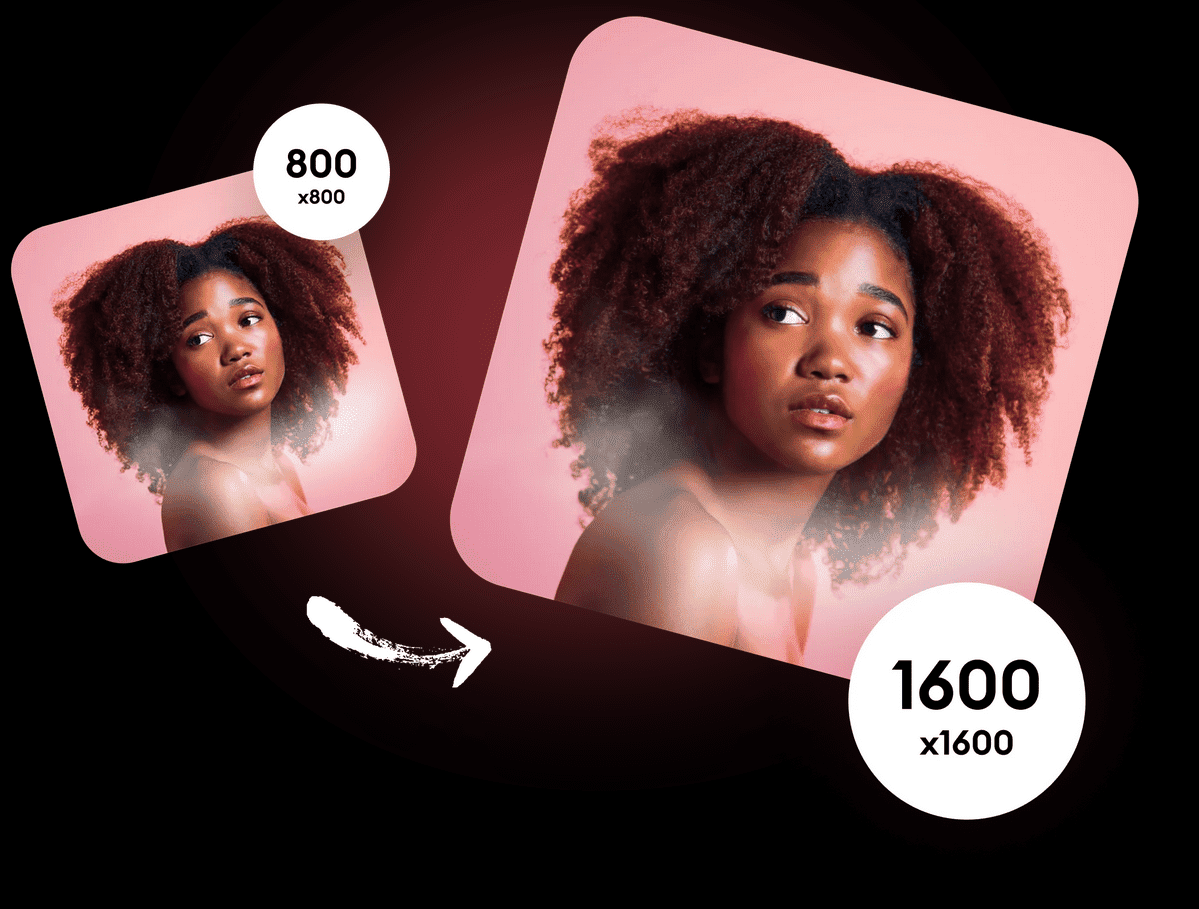
The Remini photo editing program is one of the best programs ever in the field of dealing with images and purifying images of poor quality, unclear images, distortions, distortion, and crystal clear images.

The Remini2023 application is a mobile application that runs on the Android or iOS operating system

This program has become indispensable for many graphic designers, advertising companies, and printing presses, because it provided very high efficiency in adjusting images and producing them with the highest quality. Download Remini Mod APK 3.7  Unlimited AI photo filter

 The Remini application is available in a free version on the Google Play platform as well as the App Store, but when you download the image after purifying it, it will have a watermark on it

However, these platforms do not offer the paid version, which gives you more efficient and accurate capabilities and tools, without a watermark

If you want to get the paid version, you are really lucky to have access to this article. We have provided a modified version of the application, which is a full version with all the non-free capabilities in your hands without costs.

Features of the Remini 2023 program

The Rimini application was programmed to clean the images in a unique way and use artificial intelligence to remove distortions and missing pixels  Unlike other applications that purify and clean images and raise the resolution, and use filters and effects to hide image defects.  Therefore, Remini 2023 is used to restore old photos and images with poor resolution

Download Remini Mod APK 3.7  Unlimited AI photo filter

And as those working in the field of design know that the images that will be placed in an advertisement or design must be of a very high resolution, High Resolution

And they need an intermediate program to raise the resolution of the images so that they are not pixelated when enlarging them, and here they use Remini 

Download Remini Mod APK 3.7  Unlimited AI photo filter

As we mentioned, the program uses the mechanism of designers and users to restore images, whether old or new, because the program guesses the blurred or hidden atmospheres from the image, adds missing pixels, completes the image, and outputs it with incredible accuracy.

Download Remini Mod APK 3.7  Unlimited AI photo filter

It can also color black and white photos

And it also processes video files in every way, although it needs a complex process to clean distorted videos and clips, but it is really special and does the job perfectly.

After getting to know the giant Remini to improve image quality, you can now download the program from one of the following links

A problem you may encounter when using the Remini app

After downloading and trying to install, a message may come that the application cannot be installed. Do not worry, this is normal. You can handle it by allowing applications from outside the Play Store to install, and with simple steps, we put them in front of you with pictures for those who need them.

Download Remini Mod APK 3.7  Unlimited AI photo filter

What are the specifications of the modified Remini 2023 application, full version?

The application size is only 14MB

Support Android 4 and above

The version of the application is V 3.7

Explain how to download

How to download pictures for link No. 1 You must turn off the ad blocker

Download Remini Mod APK 3.7  Unlimited AI photo filter

How to download from link No. 2 You can (preferably) turn on the ad blocker

Download Remini Mod APK 3.7  Unlimited AI photo filter
Links to download the Remini 2023 application for refining photos with artificial intelligence, full version

Download Honeyview Image Viewer to view and modify images

  Honeyview Image Viewer for view and modify images

Who does not know what Honeyview Image Viewer is, it is an application to display images at a high speed of fractions of a second to separate each image from the other in a slide show

ุชุญู…ูŠู„ ุจุฑู†ุงู…ุฌ Honeyview Image Viewer ู„ุนุฑุถ ุงู„ุตูˆุฑ ูˆุงู„ุชุนุฏูŠู„ ุนู„ูŠู‡ุง 

Indeed, it is considered the fastest program to display images and backgrounds

And also it is a program for editing and modifying images

It also gives you detailed information about the selected image when you click on it you will find

The type of extension, the date the photo was taken, the camera used in the photography, the size of the lens and the focus, and the ability to know where the image was taken via Google Maps and others

Supports most image formats such as BMP, JPG, GIF, PNG, PSD, DDS, JXR, WebP, J2K, JP2, TGA, TIFF, PCX, PNM, PPM. Also, any file can be opened even if it is compressed and it supports all compression programs such as ZIP or RAR ,7z,or TAR.

Program specifications

The license is free

 The file size is approximately 7.6 MB

 multilanguage

Supported operating systems Windows XP - Windows Vista - Windows7 - Windows8 - Windows8.1 - Windows10 Program

name and version number Honeyview5.35

 How to download


 Download 1 From Here